Courier Changelog
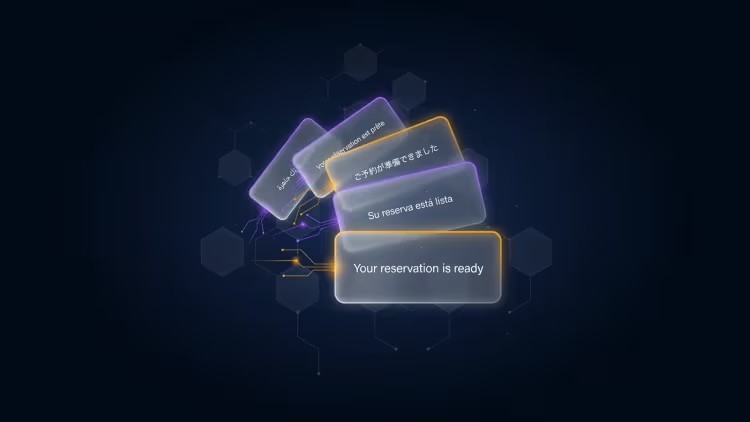
Courier now supports AI Translation directly inside Design Studio, making it easier to localize notification templates without exporting strings, managing separate files, or rebuilding locale logic.
From any template, teams can add a locale, translate content with AI, and review the original and translated copy side by side before publishing. AI Translation works across email, SMS, push, in-app, and chat, and supports editable overrides for any string that needs a human touch.
Courier also flags stale translations when the default template changes, so teams can re-translate only the content that needs updating.
Courier now supports AI Translation directly inside Design Studio, making it easier to localize notification templates without exporting strings, managing separate files, or rebuilding locale logic.
From any template, teams can add a locale, translate content with AI, and review the original and translated copy side by side before publishing. AI Translation works across email, SMS, push, in-app, and chat, and supports editable overrides for any string that needs a human touch.
Courier also flags stale translations when the default template changes, so teams can re-translate only the content that needs updating.
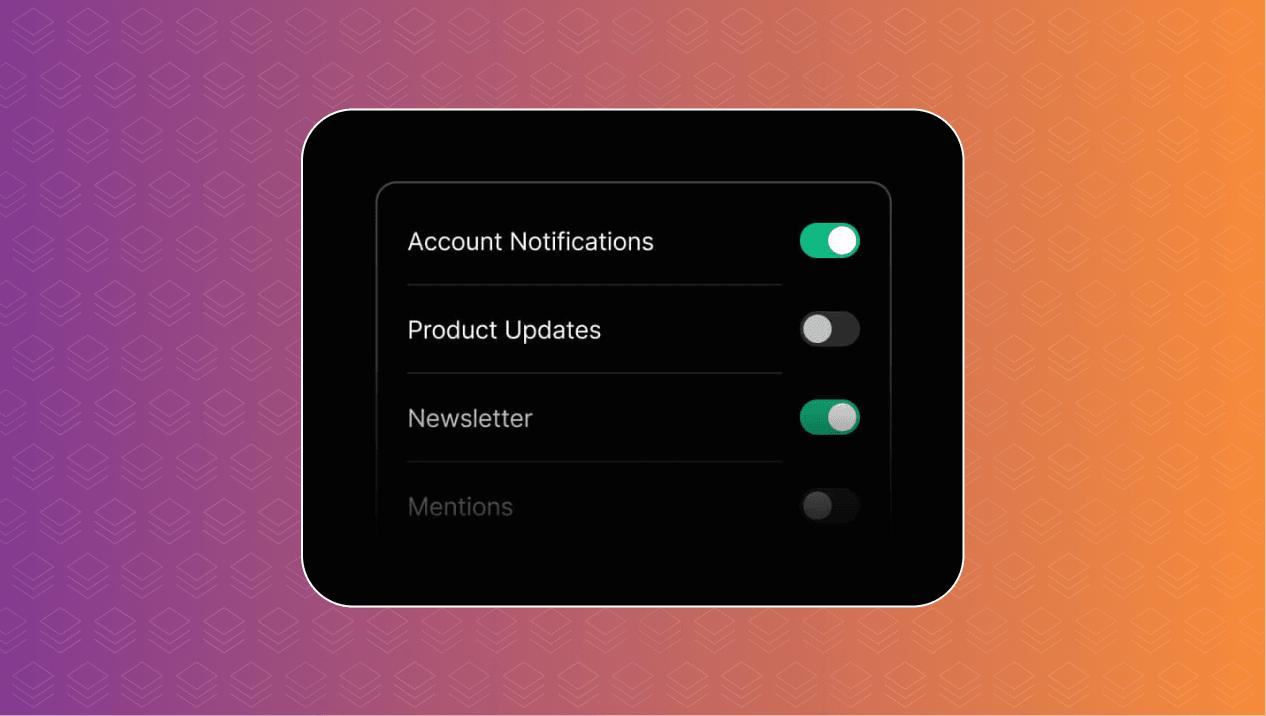
Courier’s new notification preferences Web Component makes it easy to add a complete preferences center to any web app with a single HTML element. Users can opt in or out of specific notification topics, choose which channels deliver each topic, and set digest schedules for lower-priority updates. The component works across frameworks like React, Vue, Svelte, Angular, or plain HTML, with light and dark theming options to match your product. It also reuses existing Courier Inbox authentication, so teams can ship user-controlled notification settings without building or maintaining the preferences UI from scratch.
Courier’s new notification preferences Web Component makes it easy to add a complete preferences center to any web app with a single HTML element. Users can opt in or out of specific notification topics, choose which channels deliver each topic, and set digest schedules for lower-priority updates. The component works across frameworks like React, Vue, Svelte, Angular, or plain HTML, with light and dark theming options to match your product. It also reuses existing Courier Inbox authentication, so teams can ship user-controlled notification settings without building or maintaining the preferences UI from scratch.
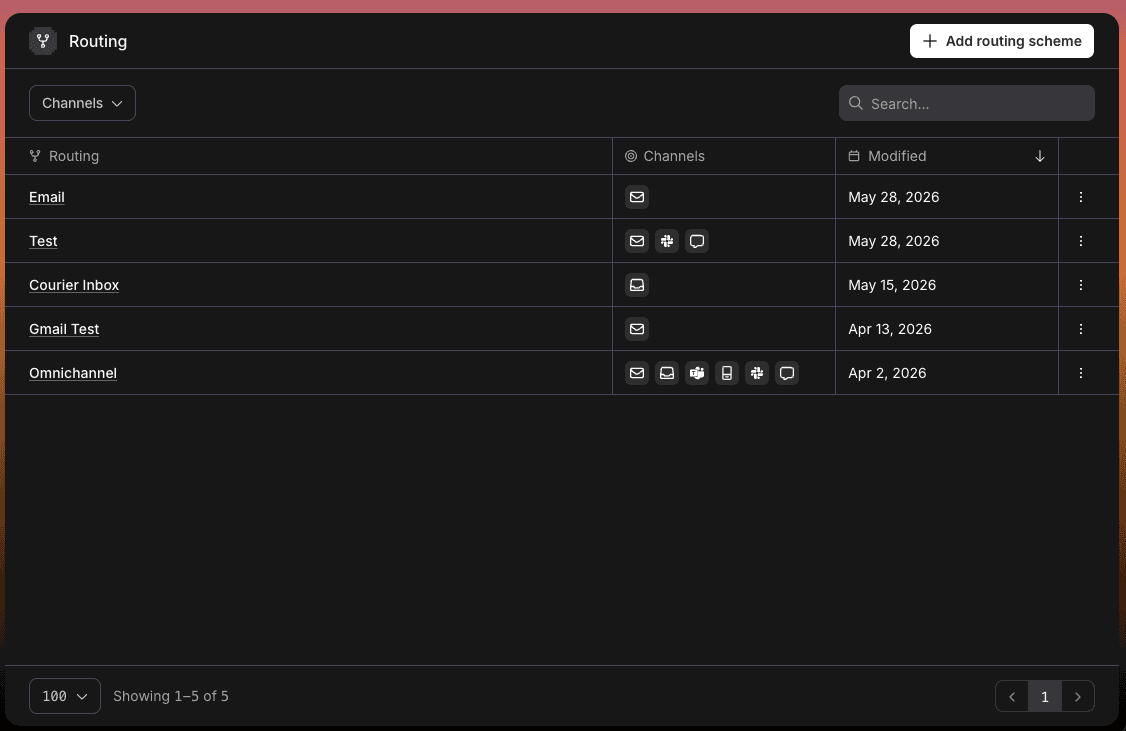
Routing in Courier is now more powerful and reusable. Instead of configuring channel and provider logic inside each template, teams can create routing strategies once and pair them with any design template. The new routing designer supports both best-of delivery for single-channel fallback and always-send delivery for multi-channel notification flows.
Routing in Courier is now more powerful and reusable. Instead of configuring channel and provider logic inside each template, teams can create routing strategies once and pair them with any design template. The new routing designer supports both best-of delivery for single-channel fallback and always-send delivery for multi-channel notification flows.
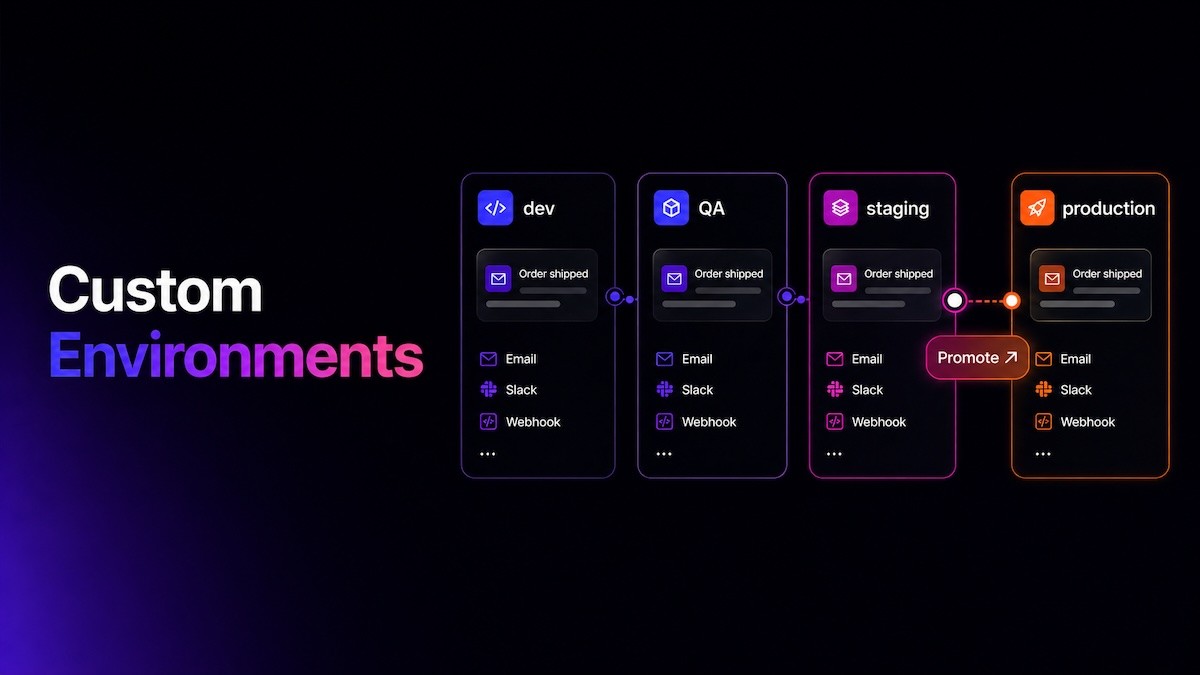
Courier now supports fully isolated custom environments, so teams can build and test customer messaging the same way they ship code. Create environments like dev, staging, QA, or production, configure separate provider integrations and API keys, and keep logs, metrics, templates, journeys, and subscription topics scoped to each environment.
When a message flow is ready, promote templates and dependencies between environments without affecting production. This gives teams safer testing, cleaner collaboration, and more control over how messaging changes move from idea to launch.
Courier now supports fully isolated custom environments, so teams can build and test customer messaging the same way they ship code. Create environments like dev, staging, QA, or production, configure separate provider integrations and API keys, and keep logs, metrics, templates, journeys, and subscription topics scoped to each environment.
When a message flow is ready, promote templates and dependencies between environments without affecting production. This gives teams safer testing, cleaner collaboration, and more control over how messaging changes move from idea to launch.
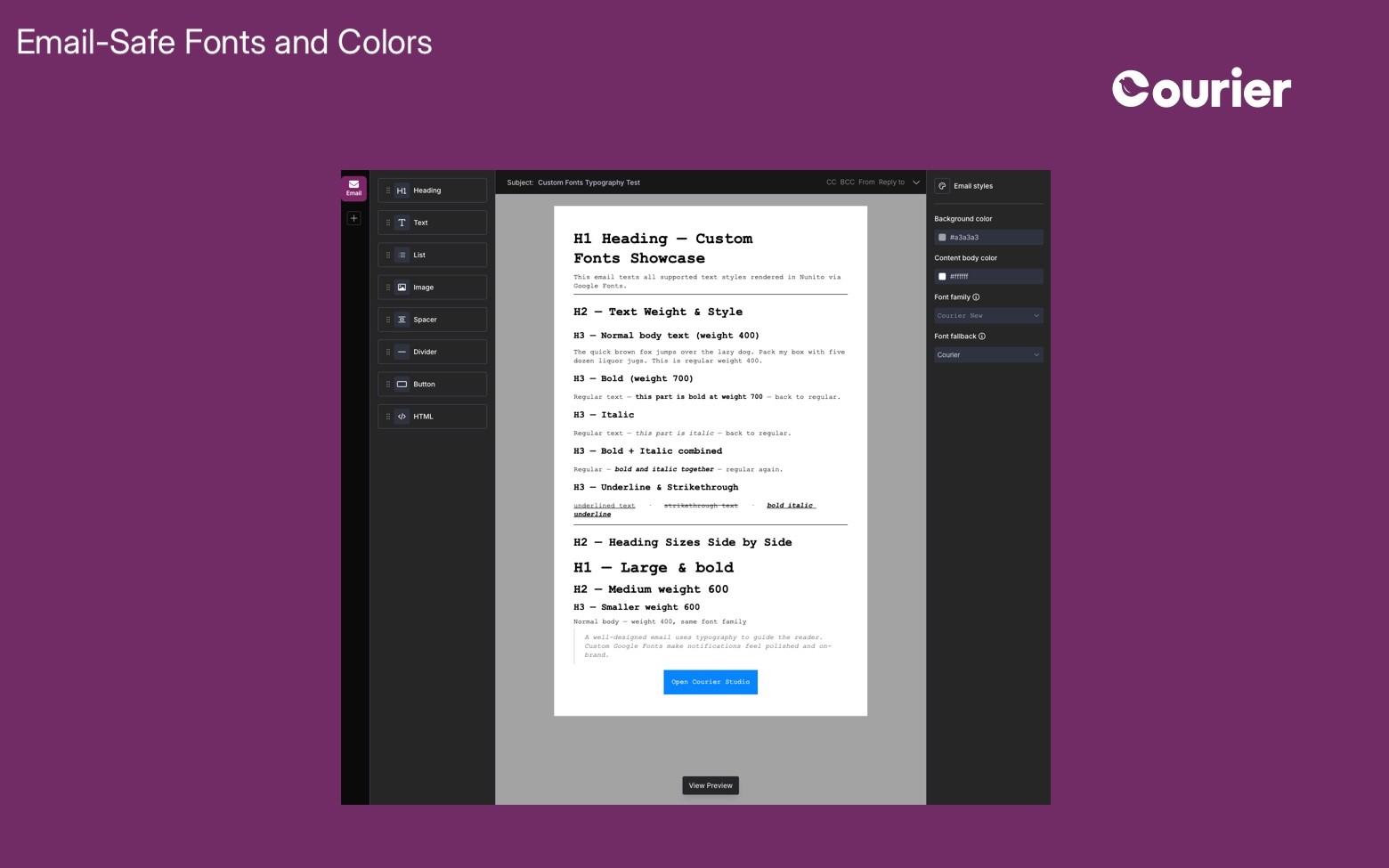
Explore email-safe fonts and background color options in the new Courier Designer to create consistent, polished, and on-brand email experiences.
Explore email-safe fonts and background color options in the new Courier Designer to create consistent, polished, and on-brand email experiences.
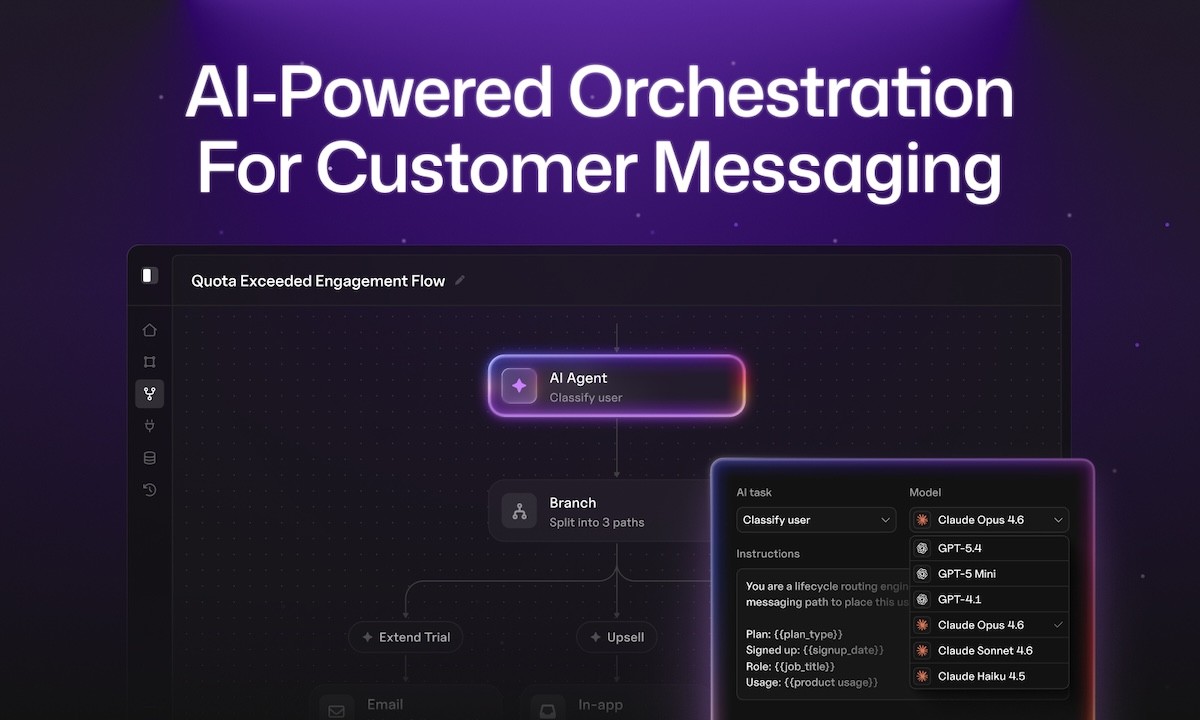
Journeys brings AI-powered orchestration to customer messaging, enabling teams to build dynamic workflows driven by real-time product signals.
With the UI builder, you can define triggers, branching logic, and timing to deliver the right message at every step of the customer lifecycle. Messages are automatically coordinated across channels like email, SMS, push, and in-app Inbox, ensuring a seamless experience. The result is more personalized, scalable engagement without complex infrastructure.
Read more about our launch!
Journeys brings AI-powered orchestration to customer messaging, enabling teams to build dynamic workflows driven by real-time product signals.
With the UI builder, you can define triggers, branching logic, and timing to deliver the right message at every step of the customer lifecycle. Messages are automatically coordinated across channels like email, SMS, push, and in-app Inbox, ensuring a seamless experience. The result is more personalized, scalable engagement without complex infrastructure.
Read more about our launch!
The new Courier CLI brings your notification infrastructure directly into AI agent workflows like Cursor and Claude Code. Developers can send messages, debug issues, and manage notifications straight from the terminal, enabling faster iteration and automation.
With support for both CLI commands and MCP integrations, teams can choose how agents interact with Courier in structured or flexible ways. It’s the fastest way to build, test, and manage notifications alongside your code.
Read more about the new CLI here.
The new Courier CLI brings your notification infrastructure directly into AI agent workflows like Cursor and Claude Code. Developers can send messages, debug issues, and manage notifications straight from the terminal, enabling faster iteration and automation.
With support for both CLI commands and MCP integrations, teams can choose how agents interact with Courier in structured or flexible ways. It’s the fastest way to build, test, and manage notifications alongside your code.
Read more about the new CLI here.
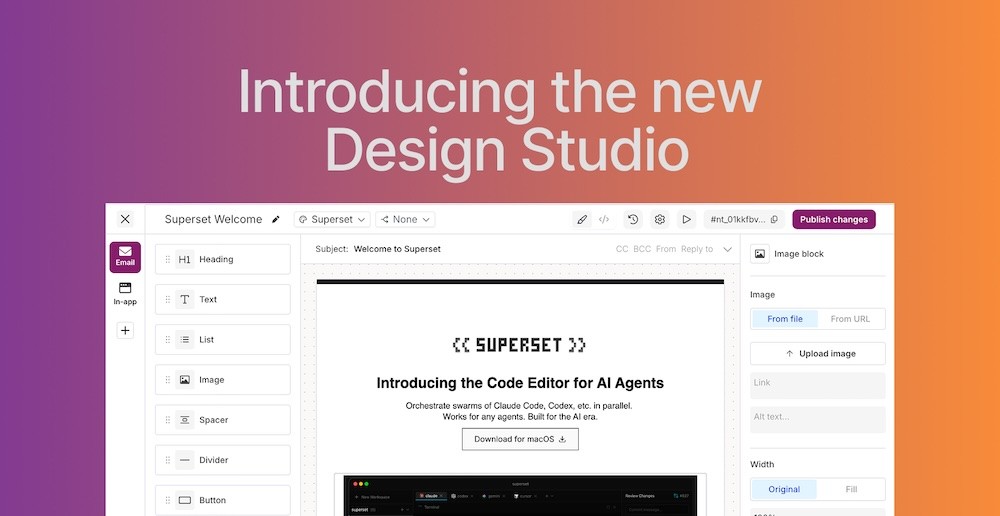
Design Studio is Courier’s new visual workspace for creating and managing customer notifications across channels. With drag-and-drop content blocks and channel-specific editors, teams can easily design messages for email, SMS, push, Slack, and more, all from one place. Built-in previews, test sends, and version history help teams iterate quickly without juggling multiple tools. Design Studio is now available in public beta for building and shipping better notifications faster.
Learn more from our blog.
Design Studio is Courier’s new visual workspace for creating and managing customer notifications across channels. With drag-and-drop content blocks and channel-specific editors, teams can easily design messages for email, SMS, push, Slack, and more, all from one place. Built-in previews, test sends, and version history help teams iterate quickly without juggling multiple tools. Design Studio is now available in public beta for building and shipping better notifications faster.
Learn more from our blog.
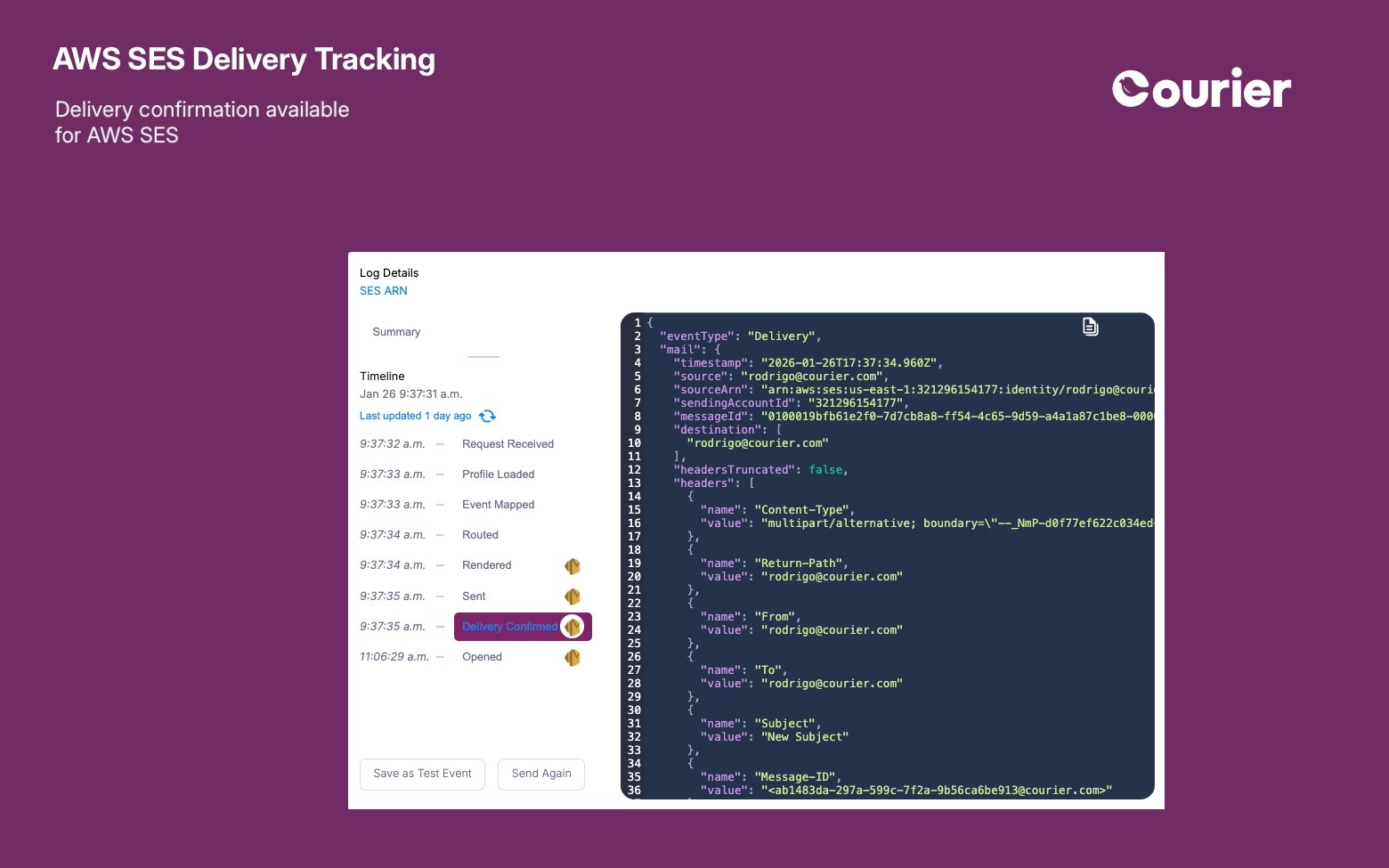
We’ve improved delivery tracking for emails sent through the AWS SES integration. Courier now captures and surfaces more detailed delivery events from SES, giving you better insight into what’s happening after messages are sent. This makes it easier to monitor email performance, diagnose delivery issues, and confidently rely on SES as part of your notification stack.
We’ve improved delivery tracking for emails sent through the AWS SES integration. Courier now captures and surfaces more detailed delivery events from SES, giving you better insight into what’s happening after messages are sent. This makes it easier to monitor email performance, diagnose delivery issues, and confidently rely on SES as part of your notification stack.
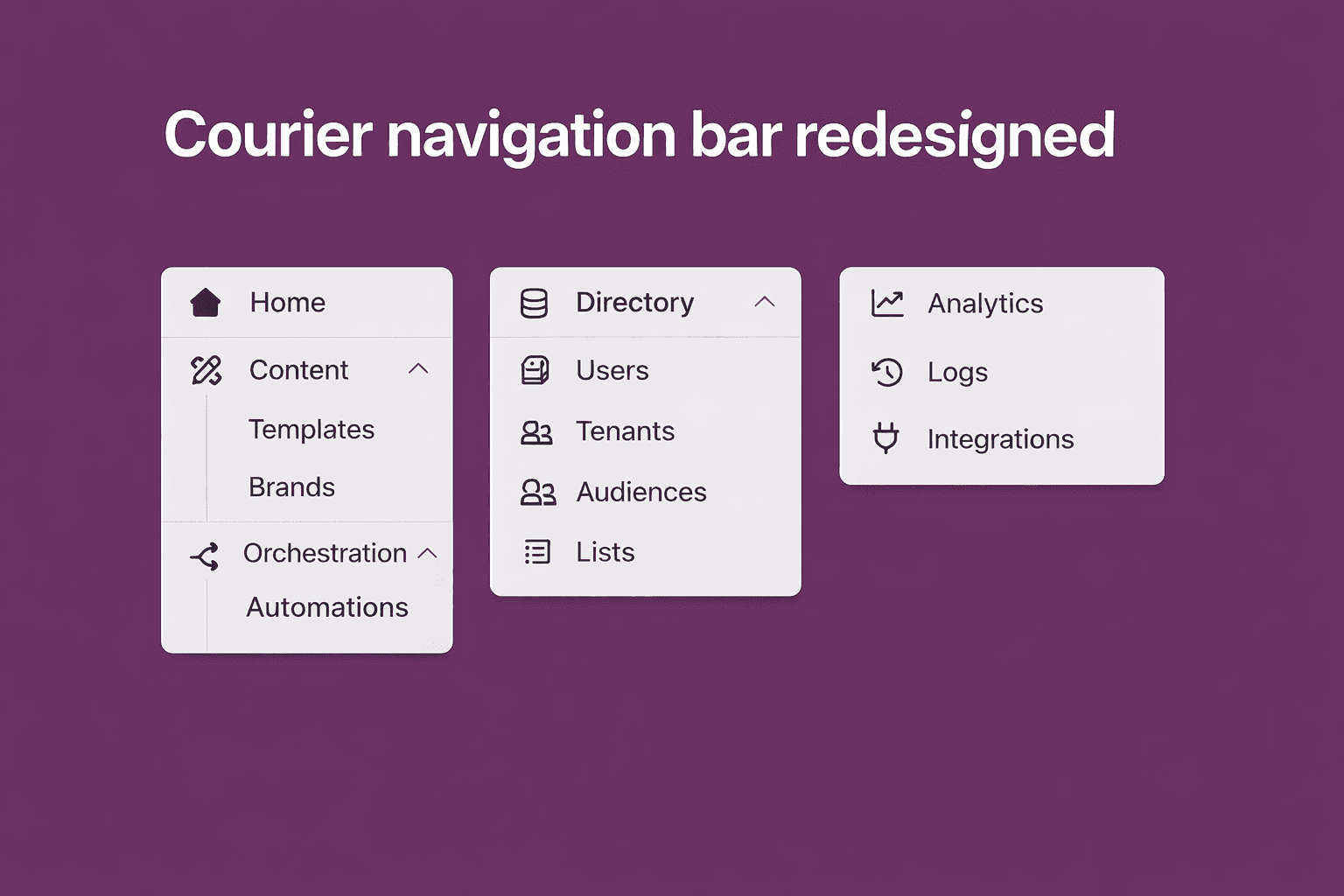
We’ve rolled out a redesigned Courier navigation to help you move faster and stay oriented as you build. Content, orchestration, directory, analytics, and integrations are now grouped more intuitively, so key workflows are always within reach. Less hunting, more shipping.
We’ve rolled out a redesigned Courier navigation to help you move faster and stay oriented as you build. Content, orchestration, directory, analytics, and integrations are now grouped more intuitively, so key workflows are always within reach. Less hunting, more shipping.


Every message, every channel. One platform
Stop building messaging infrastructure. Start shipping.