

Email built in. Not bolted on.
Ship product-based emails that deliver more value with less effort
Email, wired in. Not tacked on.
Centralized and connected
Centralized and connected
Centralize templates, coordinate across channels, and track results in one platform
Personalized for humans
Personalized for humans
Easily turn product data into emails that are personal and on time
Built for teams
Built for teams
Product teams can design, ship, and iterate on emails fast, without the engineering overhead.
Product teams can design, ship, and iterate on emails fast, without the engineering overhead.
Email built for your product.
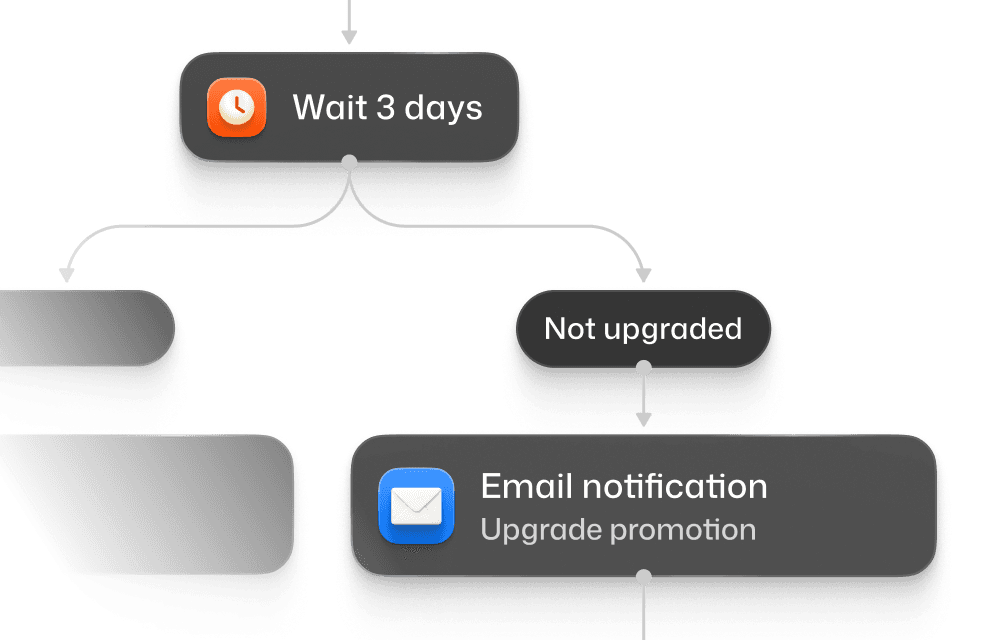
Always on email journeys
Cut through crowded inboxes with automation powered by product activity, user preferences, and time optimization.
Cut through crowded inboxes with automation powered by product activity, user preferences, and time optimization.

Your brand. Always consistent.
Keep your emails on-brand without the tedious updates. Courier lets you set shared styles and components once, then reuses them everywhere automatically.
Keep your emails on-brand without the tedious updates. Courier lets you set shared styles and components once, then reuses them everywhere automatically.
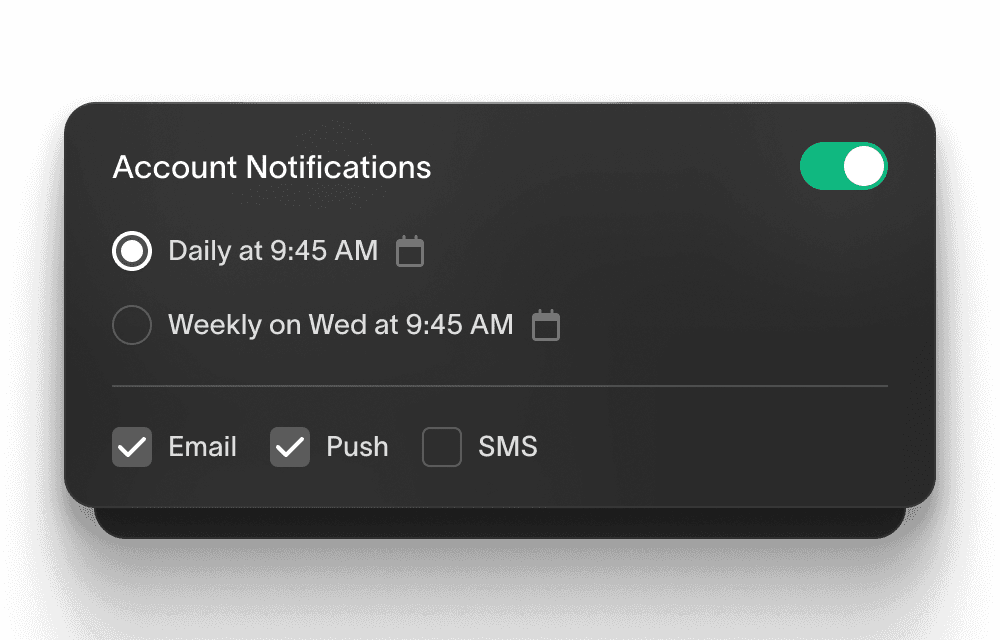
User preferences made simple
Give users control over what they hear and how they hear it. Courier’s preference center manages channels, topics, and frequency to reduce fatigue.
Give users control over what they hear and how they hear it. Courier’s preference center manages channels, topics, and frequency to reduce fatigue.
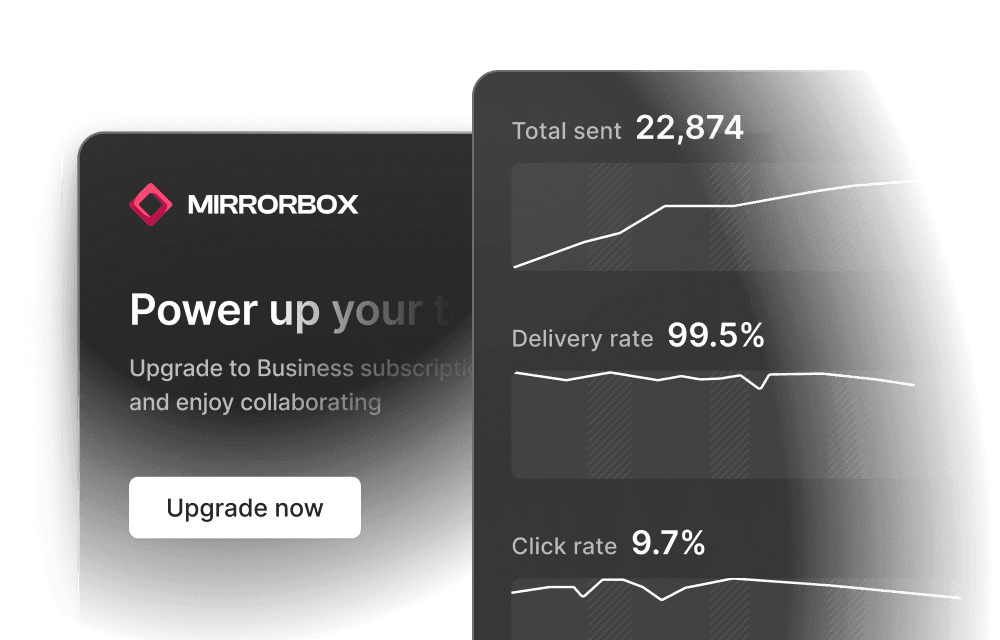
Measure what matters
Centralize delivery, open, and click data without stitching it together. Courier gives you a complete view across every channel and provider so you can measure what matters.
Centralize delivery, open, and click data without stitching it together. Courier gives you a complete view across every channel and provider so you can measure what matters.
Plug in any provider
Courier connects to any email service provider (ESP), giving you orchestration, failover, and tracking without switching tools.
Courier connects to any email service provider (ESP), giving you orchestration, failover, and tracking without switching tools.

SendGrid
High-volume email delivery with proven reliability. Bonus: Twilio users can easily add Segment event triggers.
High-volume email delivery with proven reliability. Bonus: Twilio users can easily add Segment event triggers.

Mailgun
Developer-focused email APIs built for performance and scalability, with fine-grained control over routing and analytics.
Developer-focused email APIs built for performance and scalability, with fine-grained control over routing and analytics.

Resend
React-based templates with a modern delivery infrastructure. Ideal for developers building scalable email systems.
React-based templates with a modern delivery infrastructure. Ideal for developers building scalable email systems.

Amazon SES
Scalable and cost-efficient email delivery, designed for developers who want flexibility without high overhead.
Scalable and cost-efficient email delivery, designed for developers who want flexibility without high overhead.

Postmark
Transactional email with a reputation for speed and detailed delivery tracking. Purpose-built for critical notifications.
Transactional email with a reputation for speed and detailed delivery tracking. Purpose-built for critical notifications.

SMTP
A universal standard for sending email through any provider or server. Simple, direct, and highly interoperable.
A universal standard for sending email through any provider or server. Simple, direct, and highly interoperable.

SparkPost
Predictive email delivery platform with real-time analytics, optimized for high deliverability and inbox placement.
Predictive email delivery platform with real-time analytics, optimized for high deliverability and inbox placement.

Mailjet
Intuitive email editor and collaboration tools, with support for both marketing and transactional messages.
Intuitive email editor and collaboration tools, with support for both marketing and transactional messages.
Design to delivery, in minutes.
Design and ship notifications without code or deploys.
Courier helps Engineers stay focused while Product teams iterate.
Design and ship notifications without code or deploys. Courier helps Engineers stay focused while Product teams iterate.

Visual Email Builder
Visual Email Builder
Build and update email templates in a drag-and-drop editor. No deploys, no engineering tickets.
Personalized at scale
Personalized at scale
Use product activity and variables to adapt messages. No custom code needed.
Version History + Rollback
Version History + Rollback
Easily track changes, compare versions side by side, and revert anytime. No stress, no risk.
With Courier, we can manage every notification, for every user, across every channel, in one easy-to-use platform.
Cooper Newby — Co-Founder & Chief Product Officer, Bluecrew
Cooper Newby — Co-Founder & Chief Product Officer, Bluecrew


Frequently Asked Questions
Can I use more than one email provider and fail over between them?
Yes. Connect two or more email providers, like SendGrid, Amazon SES, Mailgun, Postmark, Resend, or SMTP, and set their order in a routing strategy. When a provider returns an error, Courier retries short-lived failures like rate limits, then moves to the next provider on its own. Every attempt shows in the message log, so you always know which provider delivered.
Why aren’t my emails being delivered?
The usual reasons are a sending domain your provider hasn’t verified, an address on the provider’s suppression list, or a new Amazon SES account that’s still in the sandbox. Open the message in Courier’s logs to see its status, every provider attempt, and the provider’s error. Using Claude Code or Cursor? Connect Courier’s MCP server and ask why a message didn’t arrive, and the agent traces it for you.
How do I track email opens and clicks?
Turn on open and click tracking in Settings, and Courier adds the tracking pixel and rewrites your links, on Design Studio templates and your own HTML alike. Set up delivery tracking with your provider so delivered and undeliverable statuses come back too. Analytics then show sent, delivered, opened, and clicked for every template, journey, and broadcast, and outbound webhooks send each open and click to your own systems.
How do I send from my own domain with SPF and DKIM?
Verify your domain with your email provider (SendGrid, Amazon SES, and others) by adding the SPF and DKIM records it gives you. Then set a From address on that domain in the provider’s Courier integration, and every email through it uses that sender. You can change the sender for one template or one send. On Business and Enterprise, add a custom tracking domain so tracked links carry your domain too.
How do I personalize emails with dynamic content and variables?
In Courier, write variables in double curly braces, like {{profile.first_name}} or {{data.order_id}}. They pull from the data you send, the user’s profile, the tenant, and the brand, and they work in the body, the subject line, and the From address. In Design Studio, typing {{ opens a variable picker, and Handlebars helpers in an HTML block add conditionals, loops, and date formatting.

Every message, every channel. One platform
Stop building messaging infrastructure. Start shipping.